New version of xarop.com (2026)
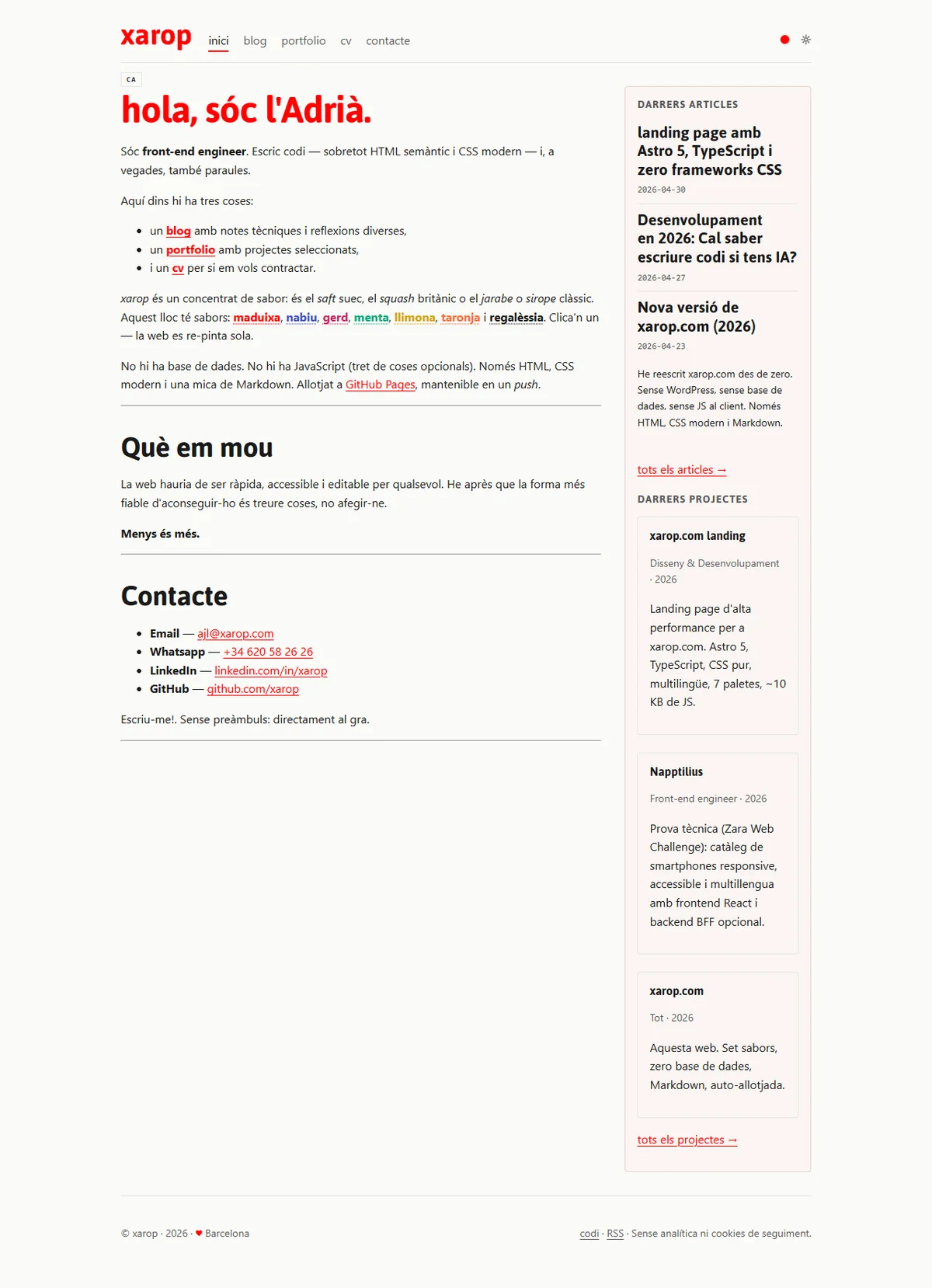
This site is the 2026 version of xarop.com. It's basically less: less code, less dependencies, less abstractions.
What I had before
A WordPress installation. Custom theme. MySQL database. Cache. Security plugins. Backups A VPS. An uptime monitor. A year without writing an article because updating the blog meant opening the admin panel and fighting the Gutenberg editor.
What does he have now?
Una carpeta amb fitxers Markdown. A Node.js build script. Three CSS files. GitHub Pages. Zero database.
To write an article:
$ touch content/blog/nou-post.md
$ $EDITOR content/blog/nou-post.md
$ git push
GitHub Actions builds the site and publishes it. Thirty seconds later, it's on the internet.
Why
Because WordPress was overkill for a personal blog with eight articles a year. Because maintaining a server is work that brings me nothing. Because the web is better again when it is small, flat and semantic.
Also: Because I liked the idea of my site having flavors. "xarop" means xarop in Catalan — sweet and concentrated — and the flavors were a visual joke that I was excited to implement. Now you can change the entire palette with one click. No recharge. It's almost all CSS. There are seven flavors in total: strawberry, blueberry, raspberry, mint, lemon, orange and licorice.
Stack
- Handwritten HTML, semantically the cleanest I've ever seen.
- Modern CSS with custom properties,
@media (prefers-color-scheme),::selection,color-scheme, view transitions. No framework. - Markdown for the content,
gray-matterfor the front-matter,markedfor the render. - Asap — typeface for titles, self-hosted (OFL), without any call to Google Fonts.
- Node.js for the build (no runtime on the client).
- GitHub Pages for hosting.
It's quite possibly the most boring stack I've used in ten years. It makes me very happy.
Content migration
The WordPress archive (2007–2024) has migrated to Markdown format: about 90 blog articles and 70 portfolio projects, with categories, tags and featured images preserved. No lost content, no database.
Featured images have been downloaded from the old server, converted to WebP (max 1200px, q82) and self-hosted. New projects without an image generate an automatic screenshot of the project URL via Puppeteer.
Navigation by content
Blog and portfolio have a sticky side with all categories and tags as a navigable cloud. The pages of each category and tag display the filtered content with the same aside to continue exploring.
What comes next
Technical notes on modern CSS, performance, accessibility, and the occasional excursion into other topics. No schedule, no commitment.
Thanks for reading — if this is your first time, welcome.